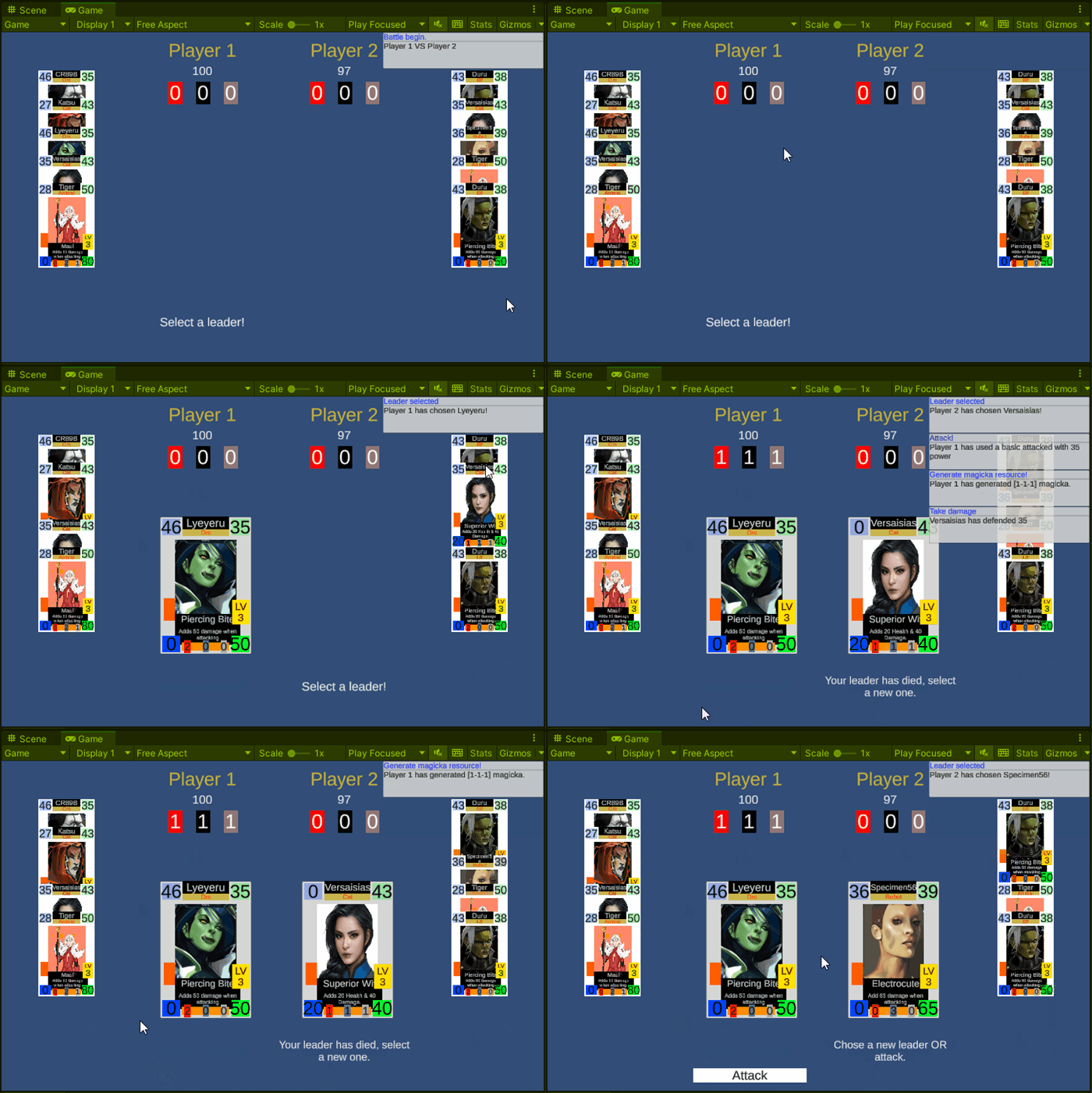
Project type: Freelance
Description: Got hired to develop a proof of concept in a week
Date: September / 2022
Link: –
Battle routine
Requirements:
- Each player will have a deck from which we randomize some cards to be used in the battle
- Randomize the player order
- The turn will consist of sending a card from the back row as a leader, in the case that we have no leader, or we can select between change leader and attack
Challenge: Waiting for inputs of multiple custom options inside a routine is what has worried me here.
I’ve written a CustomYieldInstruction that receives multiples event triggers, in this case, the back row card + attack button, and wait for some of them to be clicked
var backRowAndAttackButtons = backRowCards.GetBackRowEventTriggers().ToList();
backRowAndAttackButtons.Add(attackButton);

// Initially lets wait for clicks on backrow OR attack
var waitForUI = new WaitForUIEventTrigger(backRowAndAttackButtons);
do
{
    // Routine will stay here until a button passed on constructor was clicked
    yield return waitForUI.Reset();

    // We can change leader one time per turn and attack on the same turn.
    //  This part will execute the change leader movement and change our custom yield instruction to wait for the attack button only
    //  ignoring clicks on back row cards
    if (waitForUI.PressedButton.TryGetComponent<BackRowCardSlot>(out var slot))
    {
        slot.Change(leaderSlot);
        EventHandler.RaiseEvent(this, GameEvents.CHANGE_FIELD_MESSAGE, "Attack.");
        Utilities.CreateLog("Leader changed!", $"{PlayerName} has selected a new leader, {leaderSlot.CardName}");
        waitForUI = new WaitForUIEventTrigger(attackButton);
    }

} while (waitForUI.PressedButton == null);
Solving the above issue the rest of the battle routine is quite straightforward, the loop of then is pretty similar to a battle RPG turn, just waiting for different actions
private IEnumerator BattleRoutine()
{
    logPanel.ClearLogPanel();

    fadeBackground.SetColor(Color.black);
    winnerPanel.HidePanel();

    yield return player1.SetupPlayerSide("Player 1");
    yield return player2.SetupPlayerSide("Player 2");

    player1.Shuffle();
    player2.Shuffle();

    yield return player1.DrawCardsIntoBackRowField();
    yield return player2.DrawCardsIntoBackRowField();

    yield return RandomizePlayer();

    yield return fadeBackground.FadeOut(1f);
    Utilities.CreateLog("Battle begin.",$"{player1.name} VS {player2.name}");

    yield return CurrentPlayer.SelectLeader();
    NextPlayer();
    yield return CurrentPlayer.SelectLeader();

    do
    {
        NextPlayer();

        var actionResult = new ActionResult();
        yield return CurrentPlayer.Act(actionResult);
        TargetPlayer.TakeDamage(actionResult.Damage);

        if (TargetPlayer.HasDied())
            break;

        if (!TargetPlayer.CurrentLeader.IsAlive())
            yield return TargetPlayer.SelectLeader("Your leader has died, select a new one.");
    } while (true);

    winnerPanel.Show($"{CurrentPlayer.PlayerName} won!");
}
Log
Requirements:
- Things that happen during battle should notify the player using a log system that consist of an event type in title followed by a description
As we could end with multiple events happening at the same frame (or near enough frames to flood the log panel), I’ve implemented a queue system that checks every X seconds for messages stored in the queue delaying their release next frames.
private IEnumerator CheckForQueueMessage()
{
    while (true)
    {
        yield return new WaitForSeconds(.5f);

        if (logQueue.Count == 0)
            continue;

        if (currentLogsInScreen >= maxLogsAtSameTime)
            continue;

        var log = logQueue.Dequeue();
        CreateMessage(log);
    }
}
Just showing some logs appearing on screen, for this sample, we have set a maximum of logs at the same time to 5, in a real scenario this number will be based on screen size
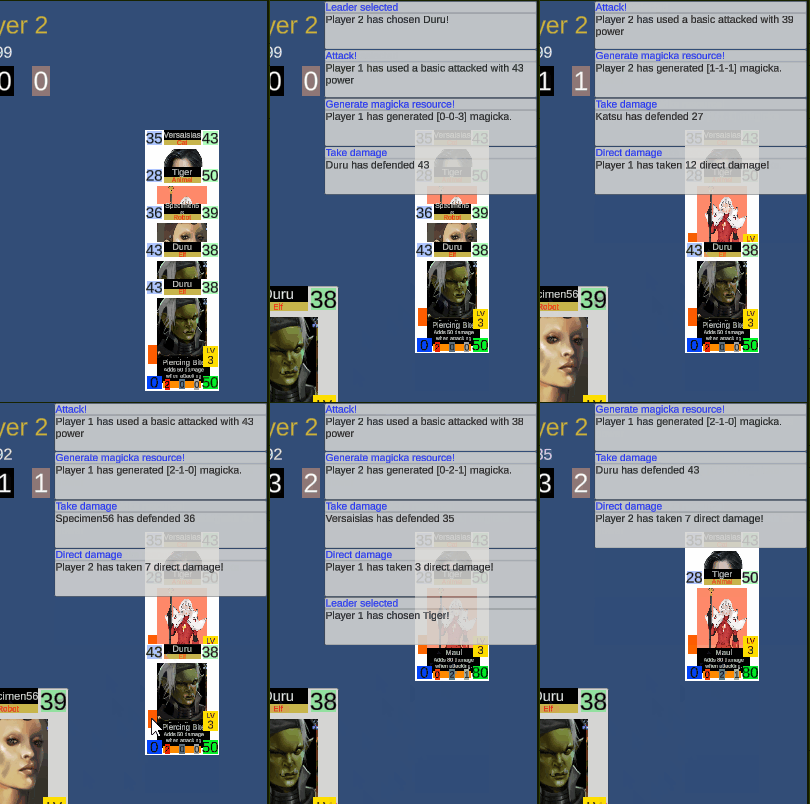
Log showcase
Cards
Requirements:
- Each card would have a name, type, image, and values for life/damage as well as life/damage added by skills alongside it’s cost, name and description
- Each card will have a skill that will be automatically cast when the price for it could be paid, applying some modifiers during the combat phase
Our cards and skill are scriptable objects (data) and the card on HUD is set up during initialization after randomizing cards from a deck. I’ve exposed the setup API to allow us to debug it if something goes wrong.

Setting card from data to view
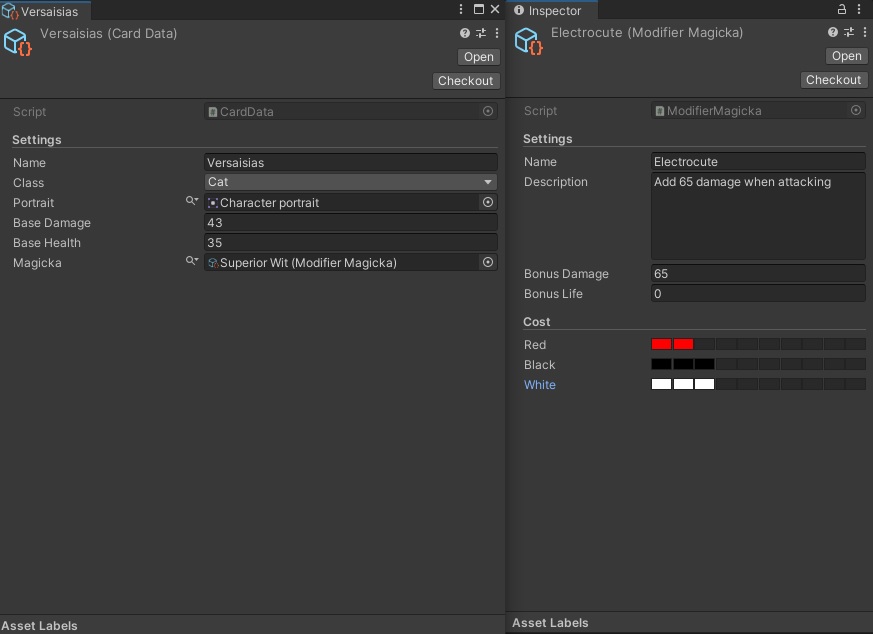
Card/Skill data
Designers can create cards by using left-side data
On the right side, we have a simple skill modifier
OBS: Those fancy colored segments in cost comes from Odin, I just know how to use it
 Nefisto